Song Voting
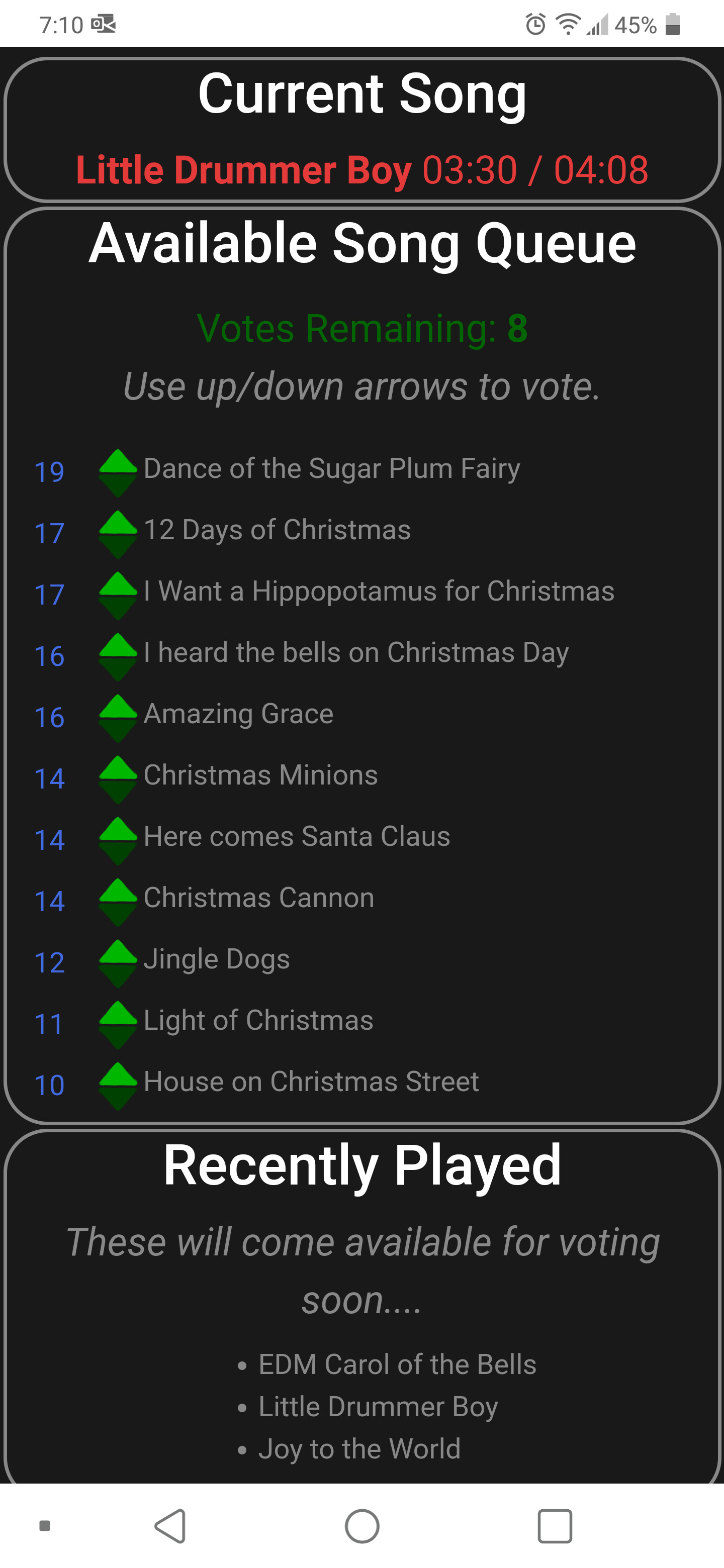
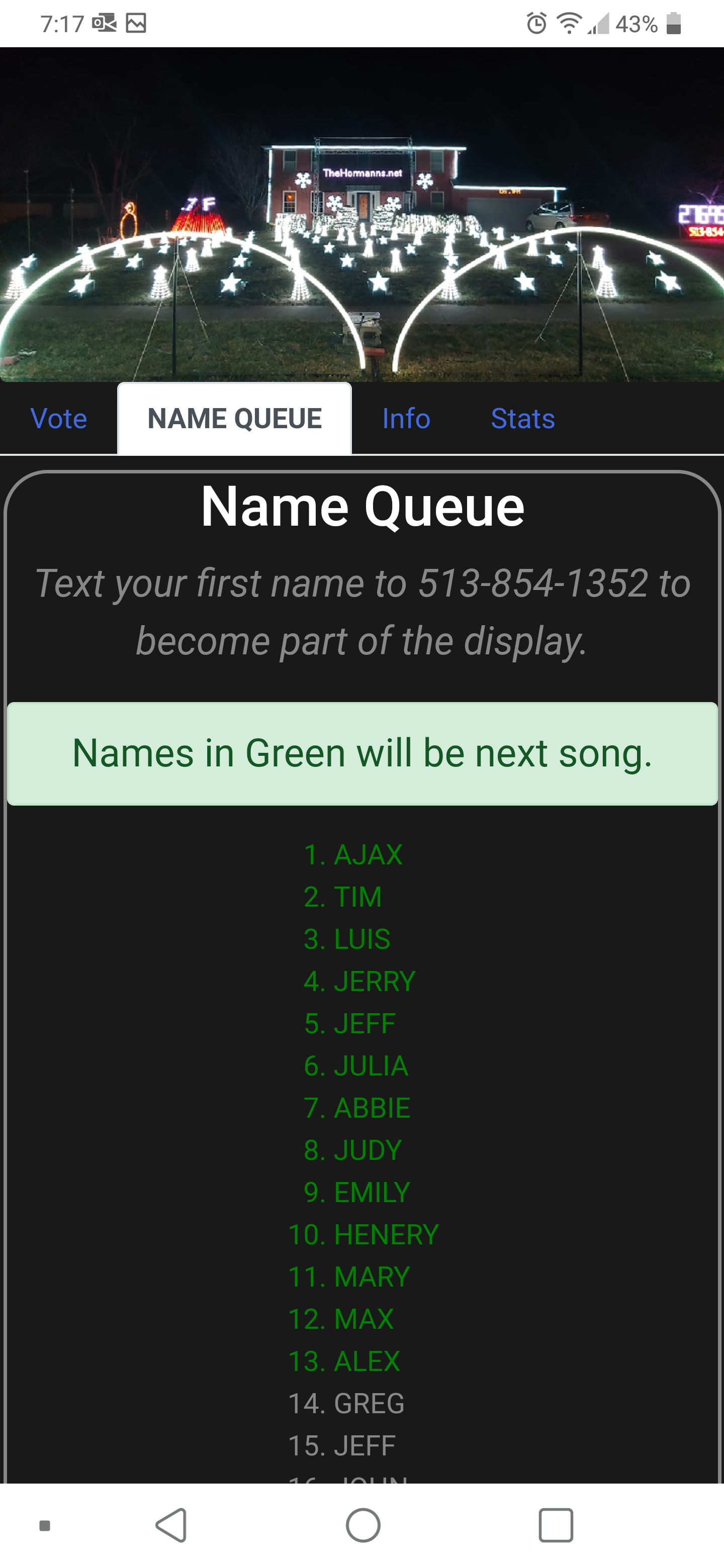
The text your name feature from 2018 worked so well that we wanted to add an additional interactive element in 2019. After some thought, we got the idea of allowing viewers to vote for the next song. After considering a few different implementations, we decided upon a simple website designed for the mobile phone — and that is how vote-now.org was born.
How it Works
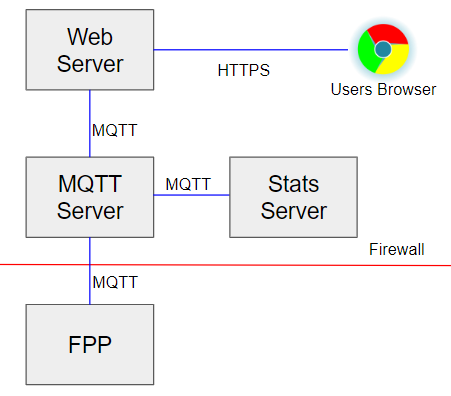
- The front-end website is a simple single-page website with five tabs. It was developed using Vue.js to be both reactive and mobile friendly. The front-end source code is public.
- The back end is written in Node.js and provides the basic endpoints for voting and getting information about the queue. (Source Code)
- Each visitor is allowed to have at most 8 votes cast at any given time. Once a song they voted for begins to play, those votes are returned. In addition, a new vote is granted every few minutes up to a maximum of 8 available votes.
- To ensure voters don’t keep repeating the same song, once a song has played, it isn’t available for voting for around 9 minutes.
- We use the Falcon Player to actually play the songs on the display. It sends periodic MQTT updates on which song is playing and how many seconds are left, which are transmitted to each active web client via the web server. (Greg contributed source code to the Falcon Player project to enable this capability.)
- The fpp scheduler is responsible for scheduling. The schedule is mostly driven by votes, but also by the number of names in the queue, the show hours, and how long it has been since specific sequences were played (intro, radio station ID, etc.) When it detects the Falcon isn’t playing a song, it sends the next scheduled playlist name to the Falcon Player via an MQTT request.
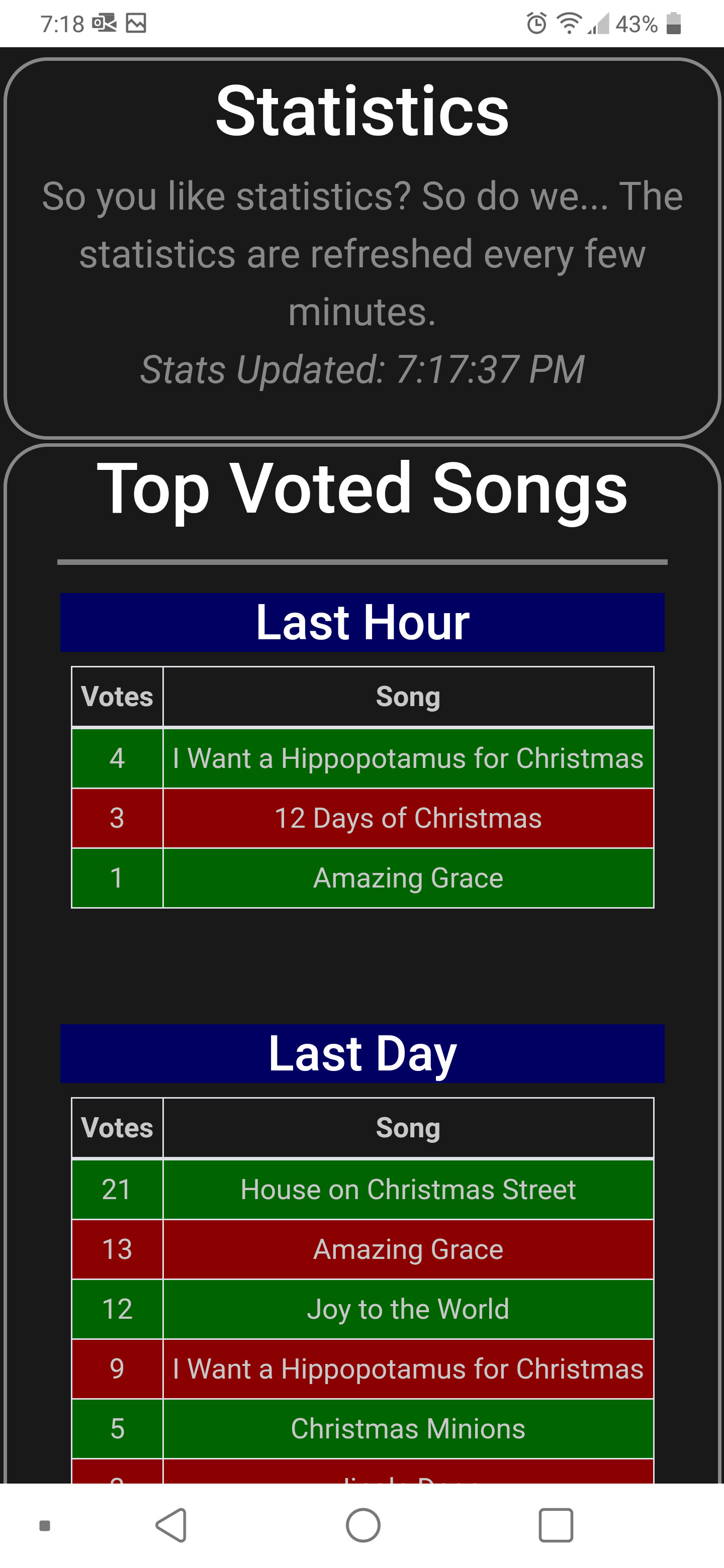
- Another set of Docker containers records all stats (names submitted, votes cast, songs played) and periodically reports a summary to the webserver for distribution to browsers. (Source Code)
Photos